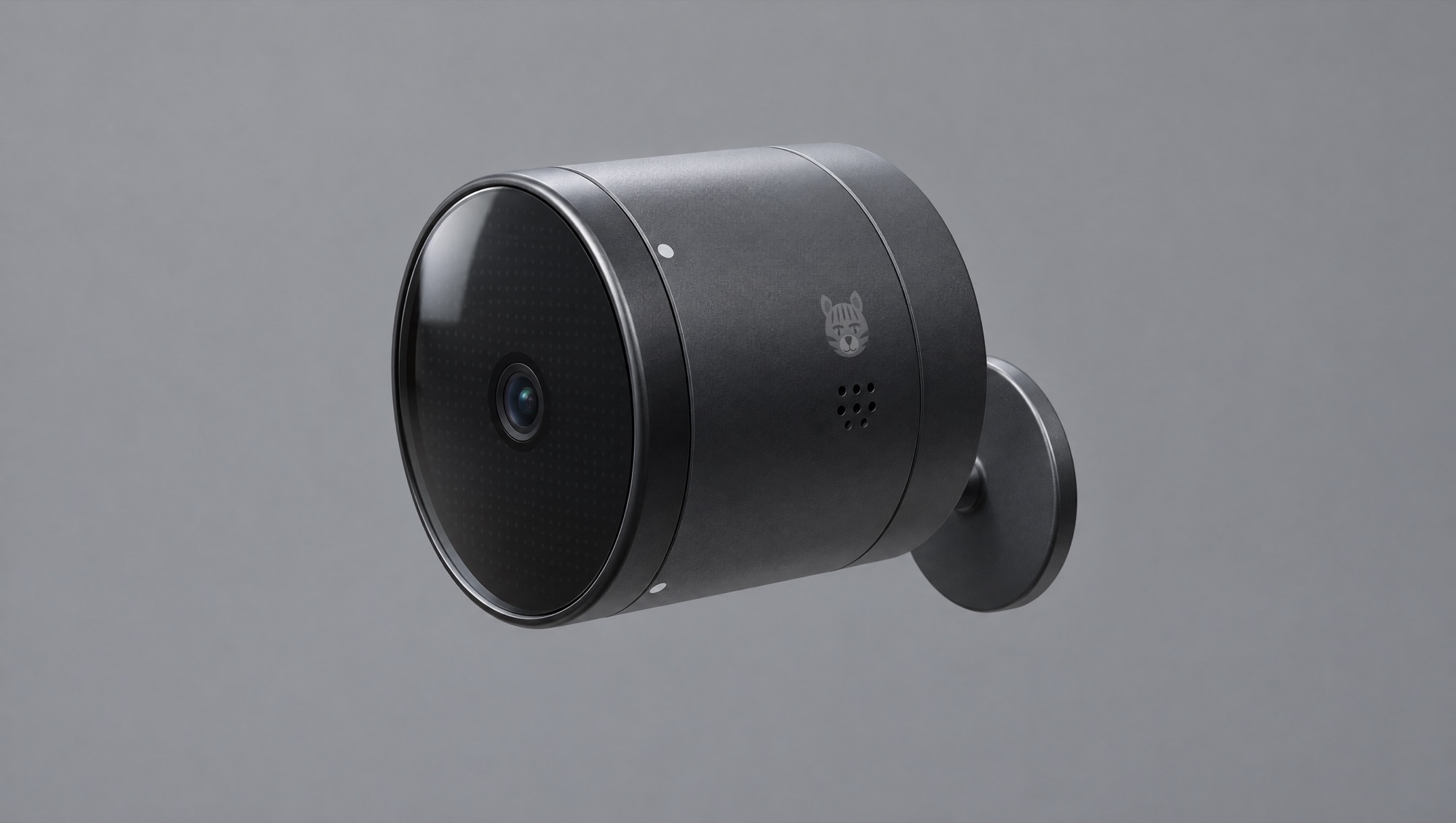
EOT-2 Eye of the Tiger
The AI camera you program by talking to it. Runs on the camera, or with your own AI.
- Built-in MCP: add it to your AI tool in one line
- Build apps in plain English, no code
- Runs AI on the camera with a 6 TOPS chip
- Sony 8 MP sensor with infrared night vision
- Microphone, speaker and a 534-pixel LED face
- PoE or USB-C power, sealed for the outdoors
Built by Charlie and Billy Crawford — camera & ML engineers, building in public. Meet the team →
Launch news and the odd build update. Unsubscribe any time. Pictures are renders from our CAD model; the design may still change.
EOT-2 Eye of the Tiger
Eye of the Tiger is a programmable AI camera for indoors and out. Add it to the AI tool you already use, say what you want it to watch for, and it builds and runs the app for you: on the camera's own AI chip, or with your own AI subscription when you need more. Inside its 92 mm aluminium body: a 6 TOPS AI engine, a Sony 8 MP sensor, infrared night vision, a microphone and speaker, and a 534-pixel LED screen behind the glass face.
Talk to it. It builds itself.
Eye of the Tiger is a camera you program with the AI you already use. No app to learn, no code to write.
- 01
Connect
Power it with USB-C or one Ethernet cable. Add it to your AI tool with one line, and every camera shows up by name.
- 02
Build
Say what you want it to watch for, in plain English. Your AI writes the app and puts it on the camera.
- 03
Run
It runs on the camera’s own AI chip, or with your own AI subscription when you want a bigger model. Alerts go wherever you already are.
Connect it in one line
Eye of the Tiger runs its own MCP server, right on the camera. Add it to Claude Code or any AI tool that speaks MCP, and your cameras appear by name, ready for instructions.
- MCP server built in, at eyeofthetiger.local
- Works with Claude Code and other MCP clients
- Every camera on your network shows up by name
Tell it what to be
Describe the job and your AI builds the app and puts it on the camera. Want it to do something else tomorrow? Just say so.
- Watches the sofa on the camera
- Speaks through the camera’s speaker
- Sends you a WhatsApp
Answers land where you already are
An app can send what the camera sees to the tools you use every day, or simply say it out loud.
- Pick where each alert goes when you build the app
- Mix and match: a WhatsApp and a spreadsheet row
- Change it any time by asking
Run it on the camera, or in the cloud
Every app picks where its AI runs. Most jobs never need to leave the camera.
Runs on its own AI chip
A Rockchip RK3576 with a 6 TOPS AI engine runs vision models live, inside the camera. Nothing has to leave your network.
- Spots, tracks and counts people, pets and things in real time
- Footage stays on your network at eyeofthetiger.local
- Keeps working when the internet drops
Or with your own AI
When a job needs a bigger model, connect your own AI subscription. The camera sends what it sees and your model does the thinking.
- Describe a scene or answer questions about it
- Check in on your cameras from anywhere
- Your account, your model, your choice
Build it. Share it. Sell it.
Not a builder? Pick a ready-made app from the marketplace and add it to your camera. No prompts, no code.
Build it
Make an app for your camera by describing it to your AI.
Share it
List it on the Eye of the Tiger marketplace.
Sell it
Set a price, or give it away. Other Eye of the Tiger owners add it to their cameras.
What’s inside
What you get
- Eye of the Tiger camera
- Wall stem and plate, with screws and wall plugs
- USB-C cable
Questions, answered
Which AI tools work with it?
Any AI tool that speaks MCP. The camera runs its own MCP server on your network at eyeofthetiger.local, so Claude Code and other MCP clients can connect with one line.
Do I need to know how to code?
No. You describe what you want in plain English and your AI tool builds the app and puts it on the camera. Or pick a ready-made app from the marketplace.
Does it need the internet?
No. Apps run on the camera's own AI chip and footage stays on your network. The cloud is optional: use it for bigger AI models and to check in on your cameras from anywhere.
Do I need an AI subscription?
Not to run apps on the camera. You build apps with your own AI tool, and you can connect your own AI subscription if an app needs a bigger model in the cloud.
What can it send alerts to?
An app can message you on WhatsApp, post to Slack, add a row to Google Sheets, send an email, speak through the camera's own speaker or light up its LED face. You choose when you build the app.
Can I use it outdoors?
Yes. It's sealed for the outdoors, with O-ring sealed ports and a breathable vent. We'll publish its full weather rating once testing is complete.
How do I power it?
With USB-C (5 V, 3 A) or one Ethernet cable using PoE. Plug in both and it switches to USB-C if PoE drops. A USB-C cable is in the box; use any 5 V / 3 A USB-C adapter.
Can I sell the apps I build?
Yes. List your app on the Eye of the Tiger marketplace and other Eye of the Tiger owners can add it to their cameras. The marketplace is in development; join the waitlist to hear when it opens.
When can I get one?
Eye of the Tiger is coming to Kickstarter. Tap "Notify me at launch" and we'll send you one email when the campaign goes live, with the early-backer prices.